No persistent floating controls on X. The extension stays quiet until you open the popup and ask it to create a screenshot.
Chrome extension for x.com and twitter.com
Turn X posts into polished shareable screenshots.
Popup-based capture. Light and dark themes. Media support. Optional watermark. The screenshot is generated locally in your browser, without uploaded post content.
X Post Screenshot Studio is a Chrome extension for creating polished PNG screenshots from visible X posts with local browser processing, light or dark themes, media support, and optional watermark text.
Local browser processing
No floating button on X
Theme and watermark saved locally
Create clean PNG cards from visible X post content.
Supports post text, profile photo, timestamp, metrics, visible images, and available video frames or posters.
Built for clean captures, not clutter.
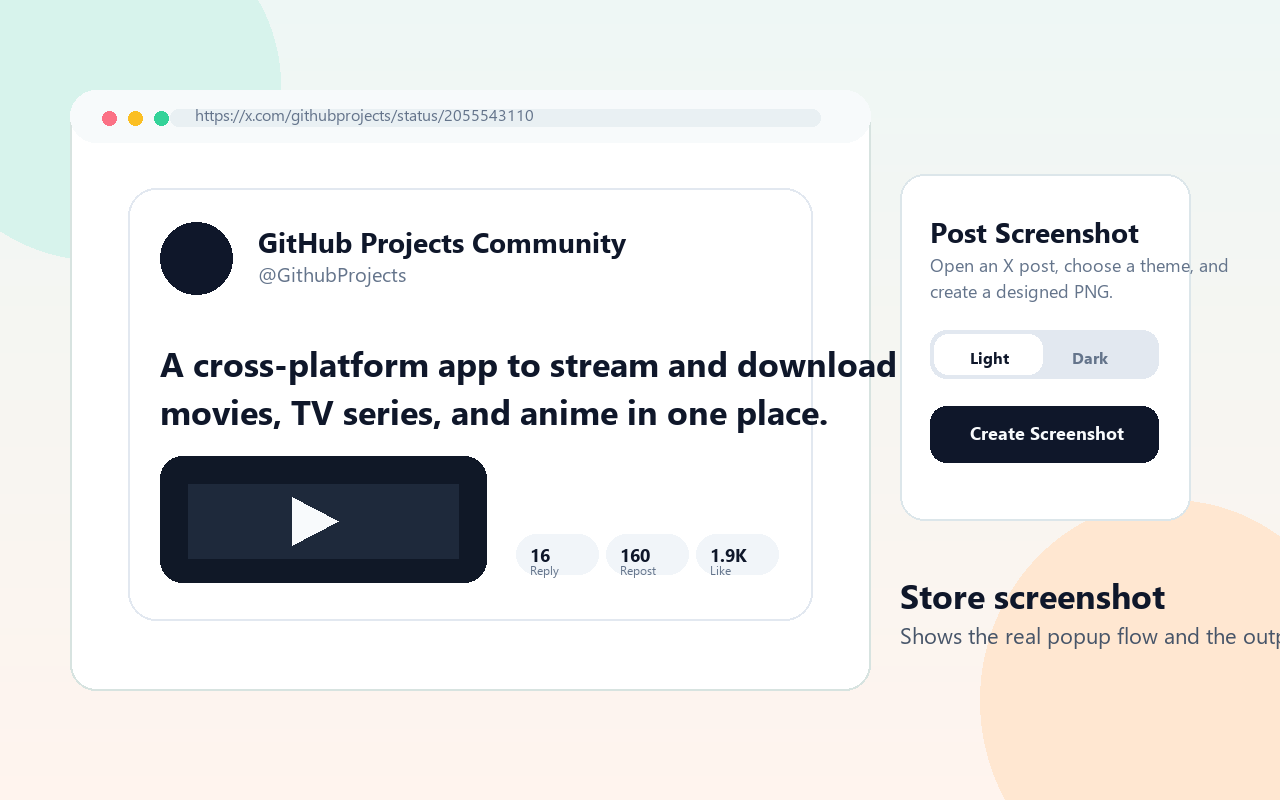
Open an individual X post, click the extension icon, choose the style, and create a screenshot that is ready to share.
| Feature area | What the extension captures | Why it matters |
|---|---|---|
| Post content | Visible post text, profile details, timestamp, metrics, and available media. | Creates a complete shareable post card. |
| Screenshot style | Light theme, dark theme, and optional watermark text. | Fits creator, research, and social media workflows. |
| Privacy model | Screenshot generation runs locally in the browser. | Avoids uploading post content to a server. |
Generate screenshots that fit your post, your brand, or the place where you plan to share the image.
Visible images and available video posters are included when the post content exposes them to the browser.
The screenshot layout grows with longer post text instead of cutting the content off awkwardly.
Add watermark text diagonally through the center with transparency for branded or attributed screenshots.
Capture happens locally. Post content is not sent to a server to generate your screenshot.
Simple enough to use every day.
Go to an individual post page on x.com or twitter.com.
Use the Chrome extension popup instead of controls injected into the page.
Choose Light or Dark, then optionally enter watermark text.
Generate a polished PNG from the visible post content.
Private by design.
X Post Screenshot Studio reads visible X post content only when you click Create Screenshot. It stores only your theme preference and optional watermark text in Chrome storage.
No collected personal data
No uploaded post content
No remote code
No selling or sharing data
Make your X screenshots look intentional.
A focused Chrome extension for creators, researchers, social media managers, and anyone who wants better-looking post captures without manual editing.
What does it do?
It creates polished PNG screenshots from visible X posts through a Chrome extension popup.
Does it upload posts?
No. The page describes screenshot generation as local browser processing without uploaded post content.
Can I add branding?
Yes. You can choose light or dark output and add optional watermark text.